Three new features landed this week, sight readers rejoice!
Dynamic markings
Real music has dynamics so it's only natural for these to be generated in exercises.
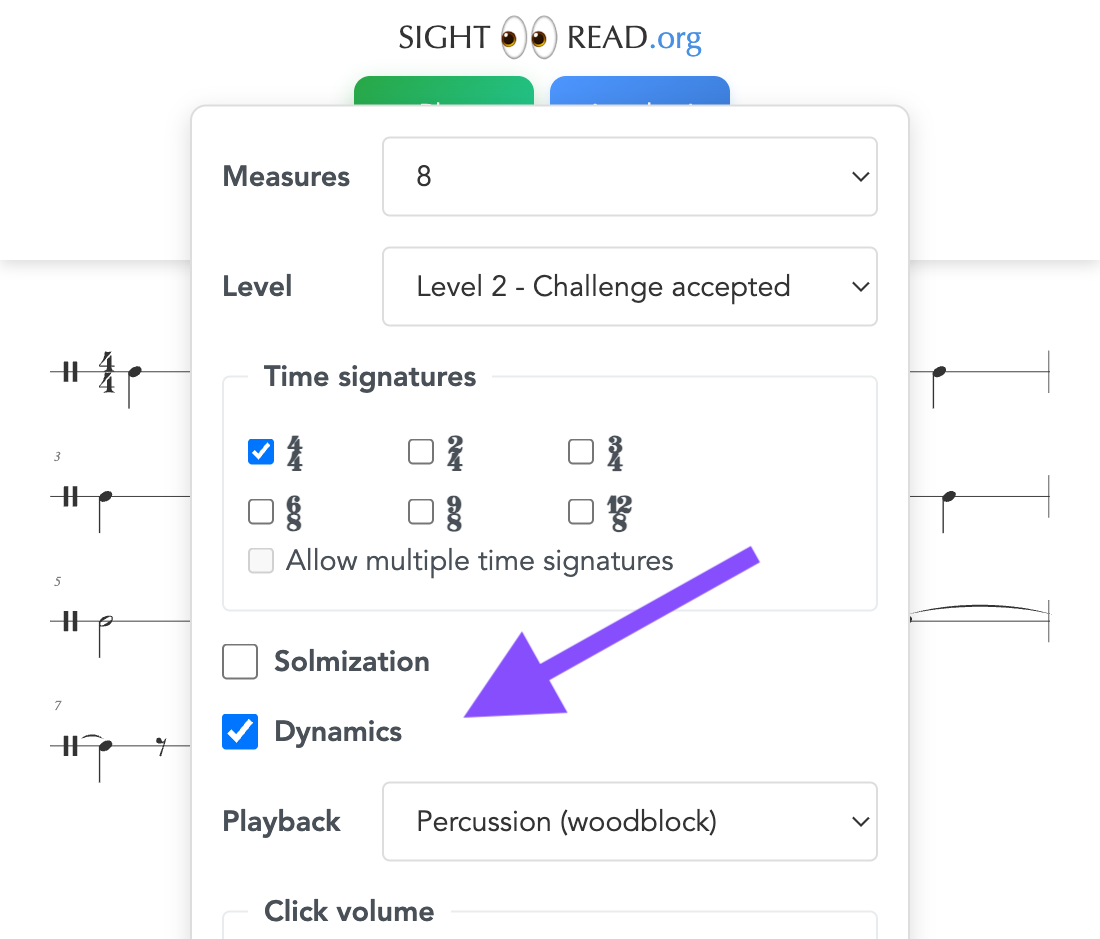
Enable the new Dynamics checkbox in settings (⚙️) to add:
- Stepped dynamics: pp, p, mp, mf, f, ff
- Hairpin dynamics: crescendo and decrescendo markings
Result:
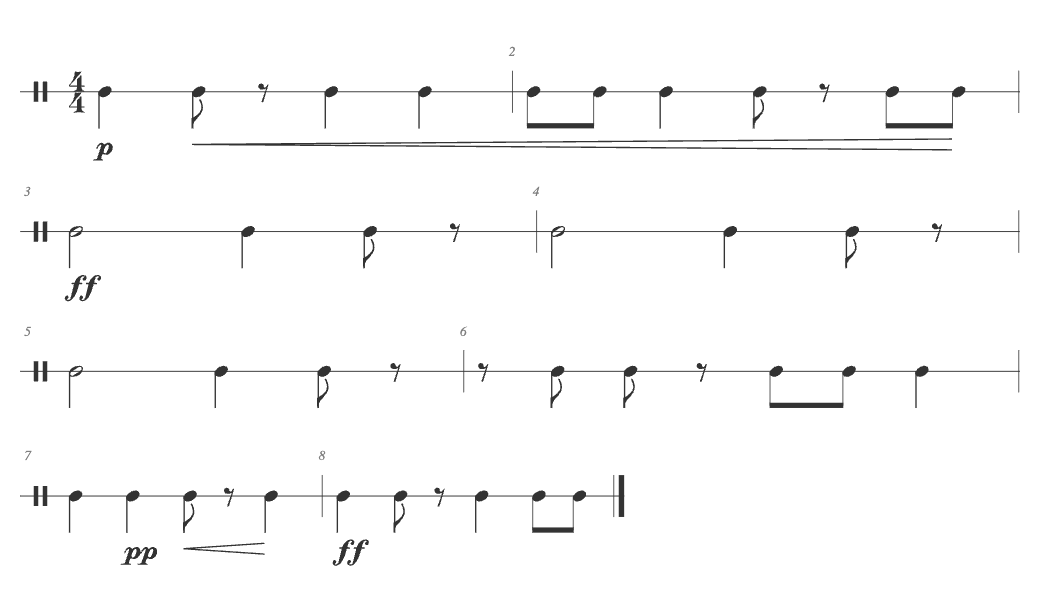
Dynamics also affect playback, but the gradation is quite subtle. Notes marked forte play louder, piano notes play softer.
If you enable solmization (do-re-mi), dynamics markings appear above the staff so that both solfege and dynamics are visible without overlapping.
Exercise history
Ever generate a great exercise and then click "Another"? Now you can go back.
- Left Arrow: Previous exercise
- Right Arrow: Next exercise (or generate new if we're at the end)
Navigate back and forth to review or replay any exercise you've generated.
There is now a subtle animation of the background when a new exercise is shown. And the animation is a different color (yellow) when the exercise comes from history or is generated fresh (blue)
New compound meter patterns
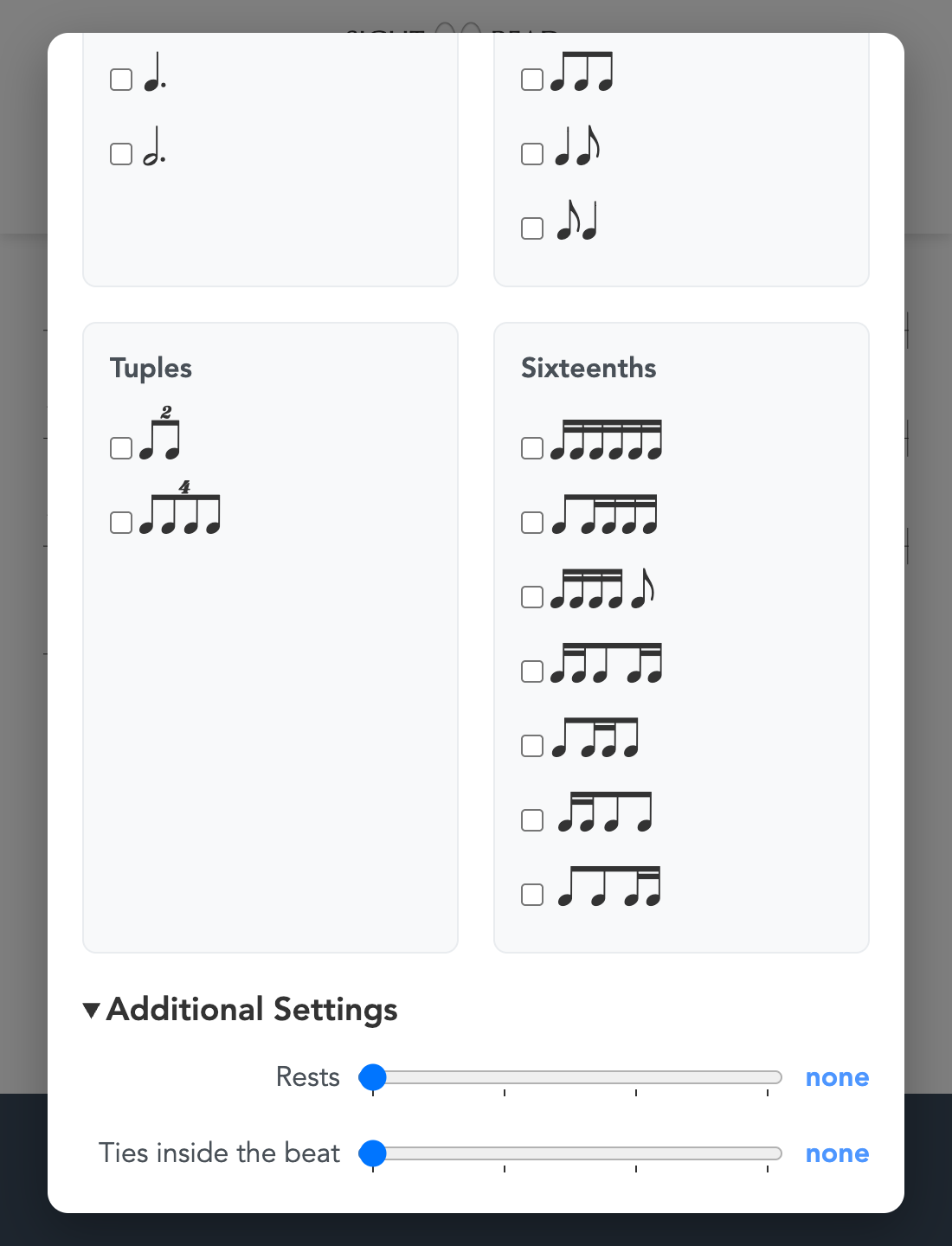
Compound meters (6/8, 9/8, 12/8) now include duplet and quadruplet patterns – two or four notes in the space of three eighth notes. These "borrowed" rhythms from simple meter add variety.
Level 4 introduces duplets, and Level 5 adds quadruplets. If you want to focus specifically on these patterns, select a compound time signature, choose Custom... from the Level dropdown, and enable them under Compound Meters → Tuples.
Your turn
Try it out at SightRead.org 👀!